Receptions, first dances, candle-lit dinners: a lot of a wedding happens in the dark. On the Nikon ZR in R3D my rule is simple: when the light drops, I go to Nikon ZR 6400 ISO and I stay there.
Why 6400
The ZR has two base ISOs in RAW: 800 and 6400. At 6400 you are on the high base, where the sensor gives you the most dynamic range for low light. Going to an ISO in between does not make the image cleaner.
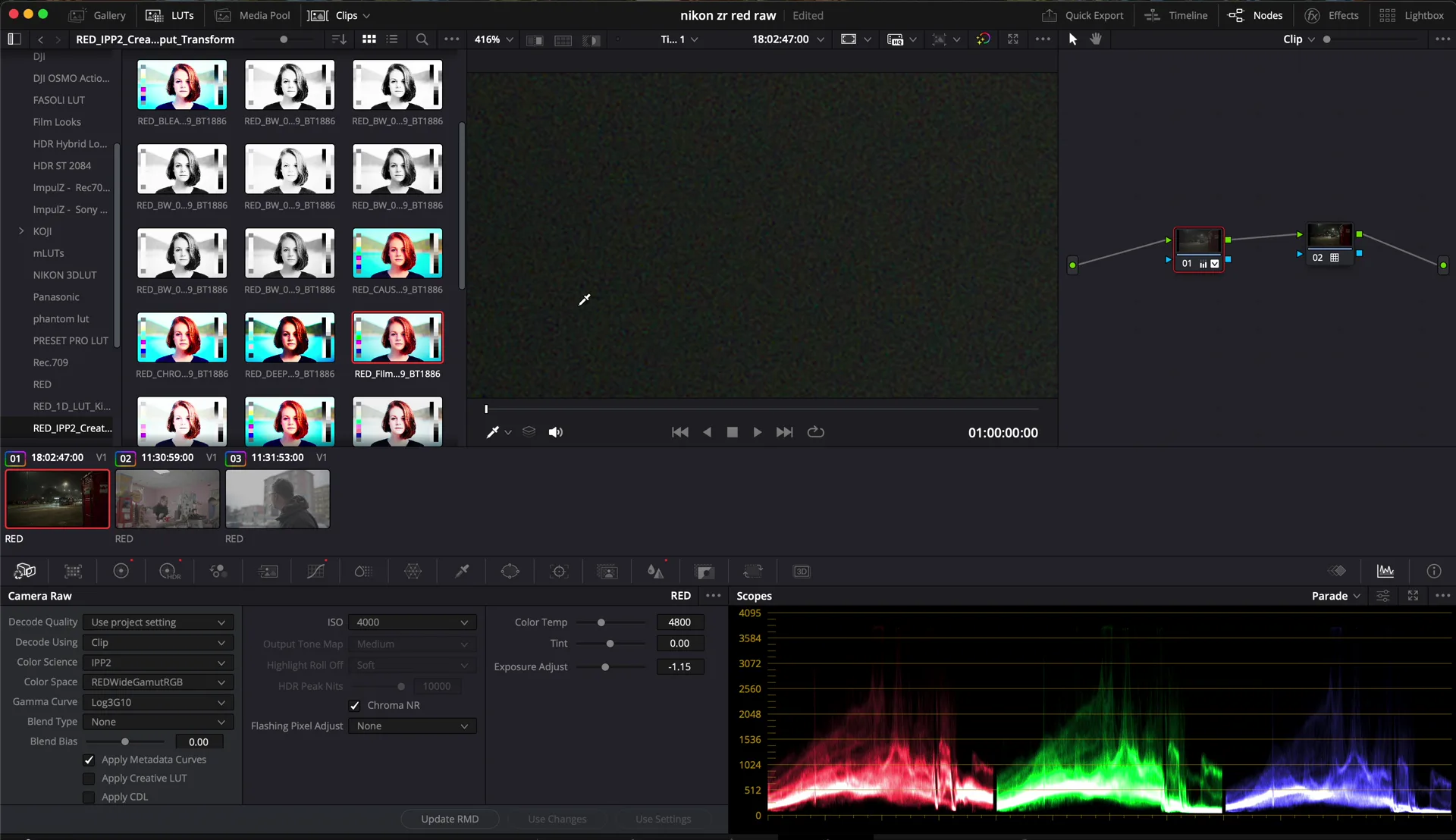
Too bright? Fix it in the RAW
If the image looks too bright at 6400, do not drop the ISO in camera. In DaVinci Resolve you can lower the ISO directly in the RAW settings, because in R3D the ISO is metadata.
A little noise reduction
Then add some noise reduction. Not too much, or the skin turns to plastic. With a light touch the noise disappears and you keep all the detail of the 6K file.
Quick recap
- Low light: stay at 6400, the high base ISO.
- Adjust brightness with the ISO in the RAW, in post.
- Light noise reduction, never too much.
The same RAW flexibility saved a clip with the wrong white balance: read how.
Watch the video
The short version is on YouTube Shorts. More on my YouTube channel.
Nikon ZR in R3D RAW at 6400 ISO, graded in DaVinci Resolve. Words and video by Alex Sofo.